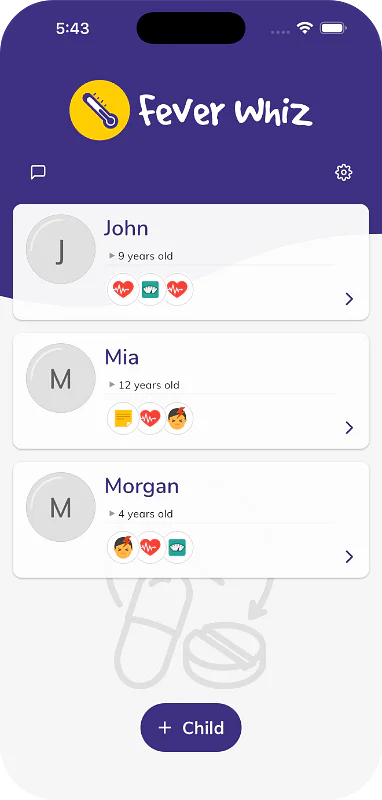
 Fever Whiz
See the next-dose window without opening Fever Whiz
Fever Whiz can now count down to the suggested next-dose window on your Lock Screen, let you know when it opens, and show it in a Home Screen widget. On an iPhone, you can also ask Siri.
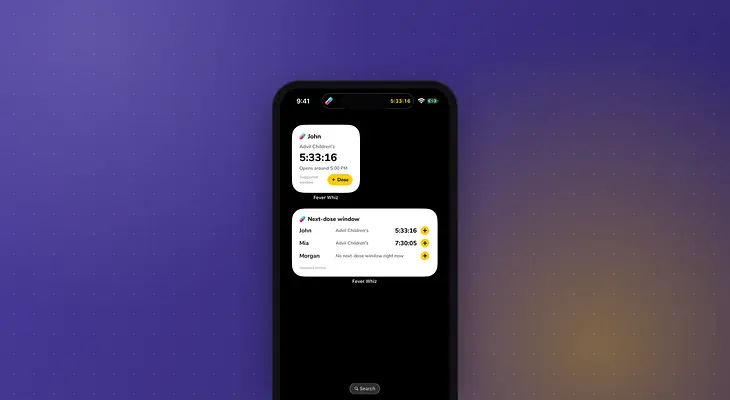
At 2 AM, you shouldn't have to unlock your phone, open an app and find the right person just to check the time. Fever Whiz now shows the next-dose window outside the app.
After you log a dose, the countdown to the suggested window appears on your Lock Screen by itself. On an iPhone, it's also in the Dynamic Island, and on Android it's an ongoing notification. When the window opens, you get a notification, for example "The suggested next-dose window opened at 3:40 AM. You can give the next dose now." Everyone caring for your child who has the countdown on gets it, so a dose logged on another phone moves it for everyone.
Add the Next-dose window widget to your Home Screen to see the countdown for everyone you care for, or for one person you choose. Tap Dose to open the dose form with the medication and its last amount already filled in, then check it and tap Save.
On an iPhone, you can ask Siri: "Log a dose for Mia in Fever Whiz" or "When is the next dose in Fever Whiz". Siri reads the dose back before it logs anything. You can also touch and hold the Fever Whiz icon for shortcuts to log a dose or a temperature for the people you log for most often.
When your child doesn't need another dose of a medication, open your child, tap ⋮ on the Next-dose window card and tap Stop the countdown for that medication. You can also turn on Last dose when you log the final dose, for example at the end of an antibiotic course. The countdown stops for every caregiver, and starts again the next time you log that medication.
The Lock Screen countdown, the notification, the widget and Siri are part of Fever Whiz Premium. The Next-dose window card in the app and the app icon shortcuts stay free. On an iPhone, the countdown needs iOS 16.2 or later, and the widget and Siri need iOS 18 or later. For the details, read How to see when the next-dose window opens and How to add a Fever Whiz widget and use Siri.
The window is a suggestion based on the interval saved for each medication, not medical advice. Always follow the label and your pediatrician's advice.